
 40G/100G Optical Transceivers
 25G Optical Transceivers
 10G Optical Transceivers
 155M/2.5G Optical Transceivers
 1G Optical Transceivers
 1G BIDI Optical Transceivers
 Dual-Rate Optical Transceivers
 FC 16G/32G Optical Transceivers
 CWDM Optical Transceivers
 DWDM Optical Transceivers
 SGMII Port Optical Transceivers
 XFP Optical Transceivers
 100M/1G/10G Coppers
 Full-Rate AOC & Breakout Series
 10G/40G Active DAC Series
 Full-Rate Passive DAC Series
 40G/100G Passive Breakout DAC Series
 Regular/MTP-MPO Fiber Patch Cords
 MT2011
 MT2010
 CodingBox
 QSFP to SFP Adapter
 首页 > Home > Application Notes > How To View QSFP-40G-SR-BD Transceiver Information On Cisco C93180YC-EX Switch
How To View QSFP-40G-SR-BD Transceiver Information On Cisco C93180YC-EX Switch
Time: 2024-05-31
Cisco QSFP-40G-SR-BD transceiver is fully compatible with Cisco C93180YC-EX switch. This guide explains how to query transceiver parameters on the switch.
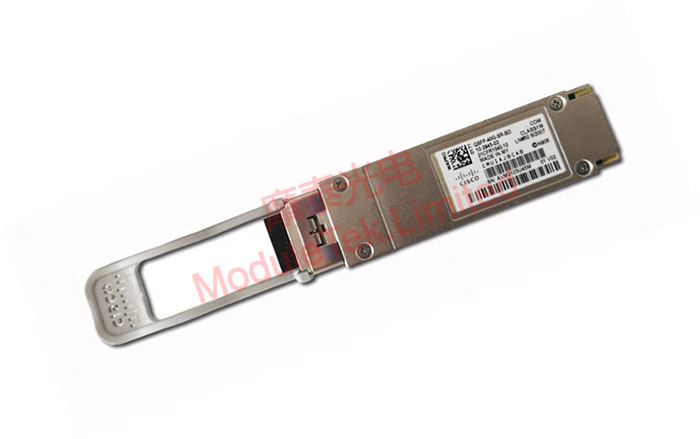
Figure 1 Optical Transceiver
1. Check Port Link Status
Run the command:
show interface ethernet 1/50
It displays link status and operating speed of the transceiver on port 1/50.
2. Check Transceiver Identification Information
Run the command:
show interface ethernet 1/50 transceiver
It shows Cisco model number, serial number and transmission distance.
3. Check Transceiver DOM Monitoring Information
Run the command:
show interface ethernet 1/50 transceiver details
It presents real-time DOM values including temperature, voltage, bias current, TX power and RX power.
Note: QSFP-40G-SR-BD transceiver does not support DOM monitoring function on Cisco C93180YC-EX switch.
Moduletek serves you wholeheartedly.
For further inquiries about the above content, please contact us at: sales@moduletek.com






