
 40G/100G Optical Transceivers
 25G Optical Transceivers
 10G Optical Transceivers
 155M/2.5G Optical Transceivers
 1G Optical Transceivers
 1G BIDI Optical Transceivers
 Dual-Rate Optical Transceivers
 FC 16G/32G Optical Transceivers
 CWDM Optical Transceivers
 DWDM Optical Transceivers
 SGMII Port Optical Transceivers
 XFP Optical Transceivers
 100M/1G/10G Coppers
 Full-Rate AOC & Breakout Series
 10G/40G Active DAC Series
 Full-Rate Passive DAC Series
 40G/100G Passive Breakout DAC Series
 Regular/MTP-MPO Fiber Patch Cords
 MT2011
 MT2010
 CodingBox
 QSFP to SFP Adapter
Unboxing of BDCOM S3956M Switch
Time: 2024-03-13
Moduletek Laboratory has purchased a BDCOM S3956M switch, which can be used to test 1G/10G SFP product series. Below is the detailed unboxing and acceptance process.
Table 1 Official Device Specifications
|
Item
|
Description
|
|
S3956M
|
24-port Gigabit Power + 24-port Gigabit Optical + 8-port 10 Gigabit Optical, Ethernet Routing Switch (1 Mini Usb type Console port, 24 Gigabit Power ports, 24 Gigabit/100 Gigabit Adaptive Optical ports, and 8 10Gb/100Gb adaptive optical ports; 2 power supply slots, standard with a hot-swappable power supply AC220V; fan cooling, 1U height, standard 19-inch rack mount)
|
The package contains 1 main unit and 1 accessory box. The accessory box includes: 1 three-pin power cord, 1 MINI-USB to DB9 serial cable, mounting screws and rack brackets, plastic feet, and a warranty certificate.
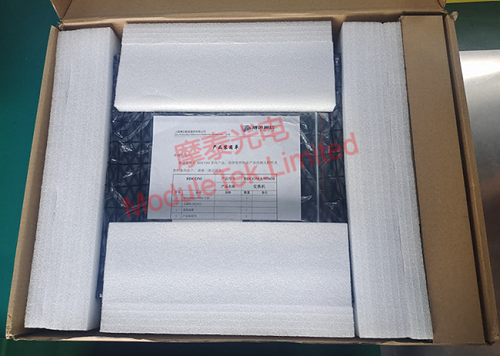
Figure 1 BDCOM S3956M Package
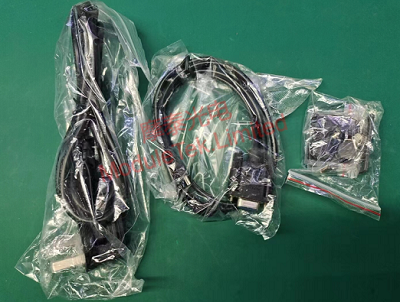
Figure 2 BDCOM S3956M Accessories
The front panel is mainly equipped with 24 RJ45 ports, 24 1G SFP ports, and 1 MINI-USB serial port. The rear panel is mainly equipped with 8 10G SFP ports and 2 external power supply slots, one of which is pre-installed with an AC power module.
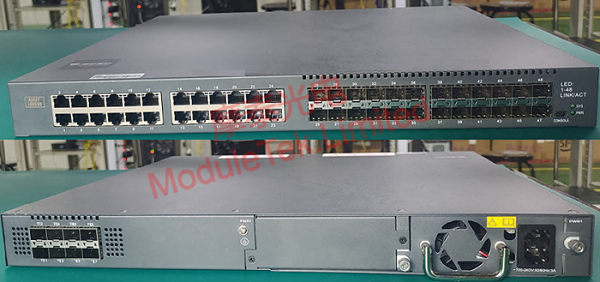
Figure 3 BDCOM S3956M Front & Rear Panels
Connect the power cord and power on the device.
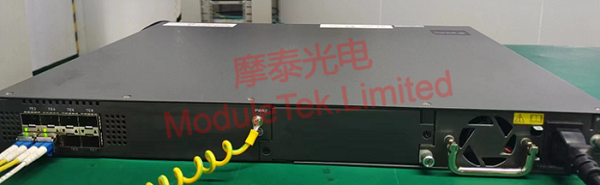
Connect a PC to the switch via a MINI-USB to DB9 serial cable. The default console parameters are as follows:
• Baud rate: 9600
• Username / Password: admin
After logging into the console, run the command show version to view the device model and system version information.
Connect the PC to the switch’s RJ45 port using an RJ45 twisted-pair cable, then access the web management interface via a browser.
• Default IP: 192.168.0.1 (configurable)
• Username / Password: admin
Note:
The switch supports HTTP access control. HTTP protocol communication between the switch and the PC is only available when the HTTP service is enabled, and stops when the service is disabled. Use the following commands in the console to configure HTTP access:
Switch#configure terminal // Enter global configuration mode
Switch_config#ip http server // Enable HTTP service
Switch_config#ip http http-access enable // Configure HTTP access mode
Switch_config#ip http ssl-access enable // Configure HTTPS access mode
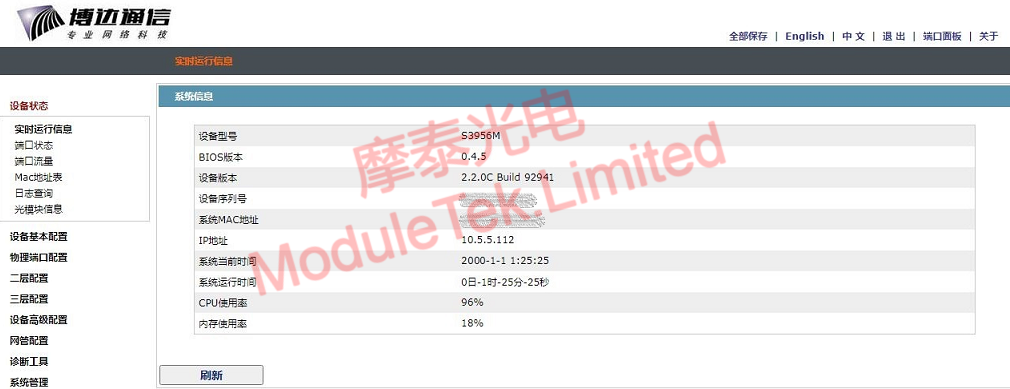
Figure 5 Web Management Interface
When a Moduletek 10G SR optical transceiver is connected to the switch, the switch can correctly identify the module type.
Moduletek optical transceivers are fully compatible with BDCOM-related devices. Welcome to inquire and place your orders.
For further inquiries about the above content, please contact us at: sales@moduletek.com






