
 40G/100G Optical Transceivers
 25G Optical Transceivers
 10G Optical Transceivers
 155M/2.5G Optical Transceivers
 1G Optical Transceivers
 1G BIDI Optical Transceivers
 Dual-Rate Optical Transceivers
 FC 16G/32G Optical Transceivers
 CWDM Optical Transceivers
 DWDM Optical Transceivers
 SGMII Port Optical Transceivers
 XFP Optical Transceivers
 100M/1G/10G Coppers
 Full-Rate AOC & Breakout Series
 10G/40G Active DAC Series
 Full-Rate Passive DAC Series
 40G/100G Passive Breakout DAC Series
 Regular/MTP-MPO Fiber Patch Cords
 MT2011
 MT2010
 CodingBox
 QSFP to SFP Adapter
Juniper QFX5130-48C Switch Unboxing
Time: 2024-11-08
The Juniper QFX5130-48C is a member of the Juniper QFX5130 switch series. Designed for high-density 1U platforms in modern data centers, it is a next-generation fixed-configuration spine-and-leaf switch.
Moduletek Limited Laboratory purchased a Juniper QFX5130-48C switch, which is used for compatibility testing of 100G SFP56-DD and 400G QSFP-DD transceivers. The following takes you through the complete unboxing and acceptance process.
Table 1 Official Device Description Information
| Model Number | Description |
| QFX5130-48C-AFO |
QFX5130 (hardware with base software), 1U, 48 SFP56-DD ports and 8 QSFP-DD ports, redundant fans, 2 AC power supplies, front-to-back airflow |
The device packaging is printed with the Juniper logo, product label, and packaging label.
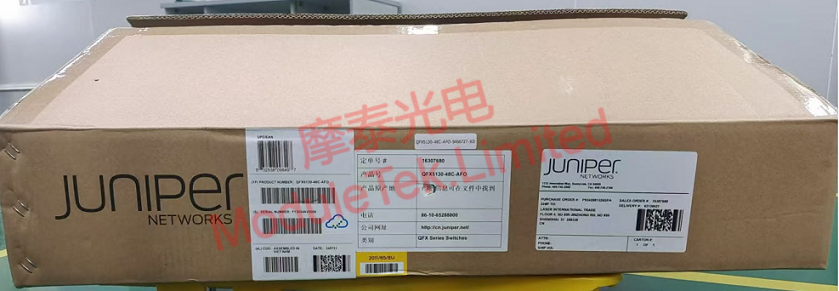
Figure 1 QFX5130-48C Outer Package
Inside the box, the main switch unit is included (with power supplies and fans pre-installed). The standard accessories include two C15 power cords, interface dust caps, cable ties, slide rails, and user manuals.

Figure 2 QFX5130-48C Inner Package
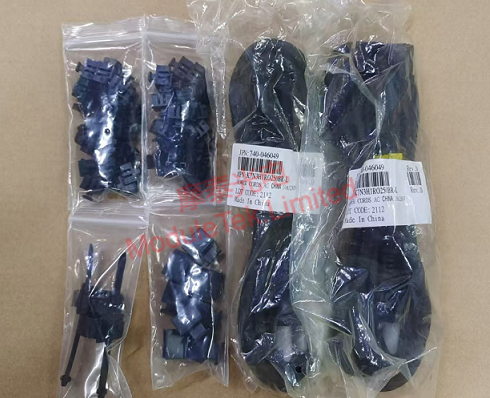
Figure 3 QFX5130-48C Accessories
The front panel is mainly equipped with 8 400G QSFP-DD ports and 48 100G SFP56-DD ports. The rear panel mainly features 2 10G SFP+ ports, 1 RJ45 console port, 1 USB port, 1 RJ45 management port, 1 reset button, 2 power supply bays (with power supply modules pre-installed), and 6 fan bays (with fan modules pre-installed).
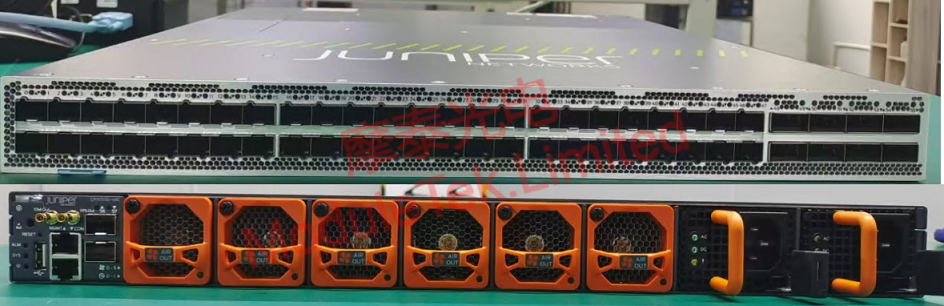
Figure 4 QFX5130-48C Front/Rear Panel
Connect the power cord to power on the device; noticeable operating noise is generated during startup.

Figure 5 QFX5130-48C Device Power-Up
Use an RJ45-to-DB9 serial cable to connect to the switch via the console port. The device’s default baud rate is 115200, with the initial username: root and no password. After logging in to the console, execute the command:
show version
to view the operating system version information.
Insert a Juniper-compatible 100G SR4 optical transceiver produced by Moduletek into the device’s Ethernet port; the switch can correctly recognize the transceiver type.
The switch interfaces default to the highest rate; you need to manually configure the interface to adapt to the rate of the connected optical transceiver. In configuration mode, execute the command:
set interfaces <port_number> speed <speed>
Note: Replace <port_number> with the target interface number and <speed> with the actual rate of the optical transceiver.
Moduletek Limited’s optical transceivers are well compatible with Juniper-related equipment. Welcome to consult and purchase.
For further inquiries about the above content, please contact us at: sales@moduletek.com






