
 40G/100G Optical Transceivers
 25G Optical Transceivers
 10G Optical Transceivers
 155M/2.5G Optical Transceivers
 1G Optical Transceivers
 1G BIDI Optical Transceivers
 Dual-Rate Optical Transceivers
 FC 16G/32G Optical Transceivers
 CWDM Optical Transceivers
 DWDM Optical Transceivers
 SGMII Port Optical Transceivers
 XFP Optical Transceivers
 100M/1G/10G Coppers
 Full-Rate AOC & Breakout Series
 10G/40G Active DAC Series
 Full-Rate Passive DAC Series
 40G/100G Passive Breakout DAC Series
 Regular/MTP-MPO Fiber Patch Cords
 MT2011
 MT2010
 CodingBox
 QSFP to SFP Adapter
 首页 > Home > Application Notes > How To Check The Compatibility Of Cisco Optical Modules with Switches
How To Check The Compatibility Of Cisco Optical Modules with Switches
Time: 2025-03-20
When using optical modules with switches, you need to confirm the compatibility between the optical module model and the switch model to avoid compatibility failures. There are two mainstream ways to check compatibility between optical modules and switches.
The first is to refer to the compatibility list in official product manuals. Some switch manuals list compatible optical module models, such as Aruba. Some optical module manuals list supported host device models, such as Juniper. The second way is to use an independent dedicated optical module compatibility manual, such as Brocade.
Unlike other brands, Cisco provides an official dedicated tool for querying compatibility between optical modules and switches, which is introduced below.
Access the Cisco Optical Device Compatibility Matrix webpage via the URL: https://tmgmatrix.cisco.com
The page first displays disclaimers and notes. A product carousel on the right side showcases new products, solutions and technical blogs.
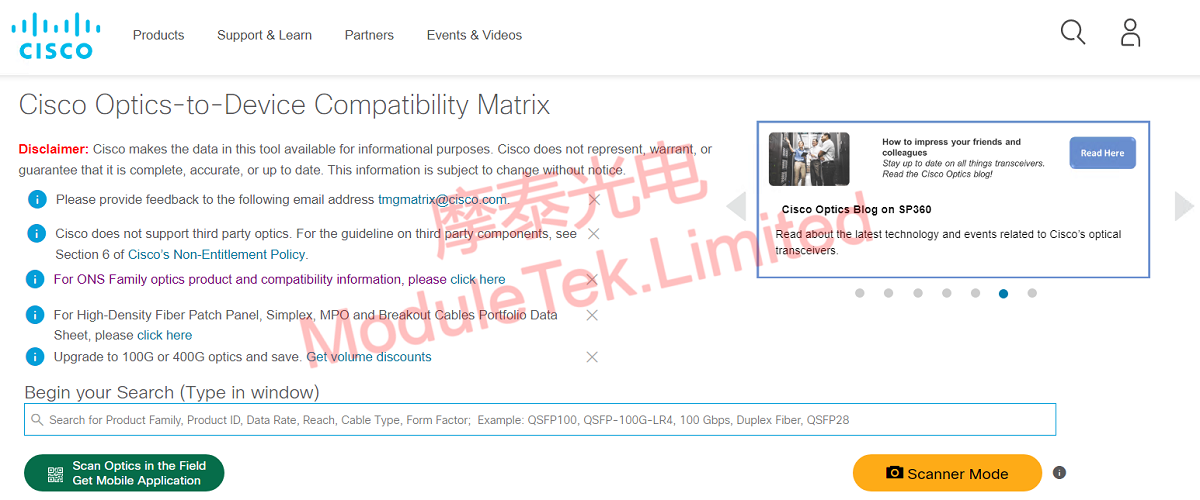
Figure 1 Compatibility Matrix Tool Web Page
Enter a Cisco optical module model number in the search box. The results will display all compatible Cisco host devices and their minimum software version requirements. The left side of the page provides information filtering functions to quickly filter query content.
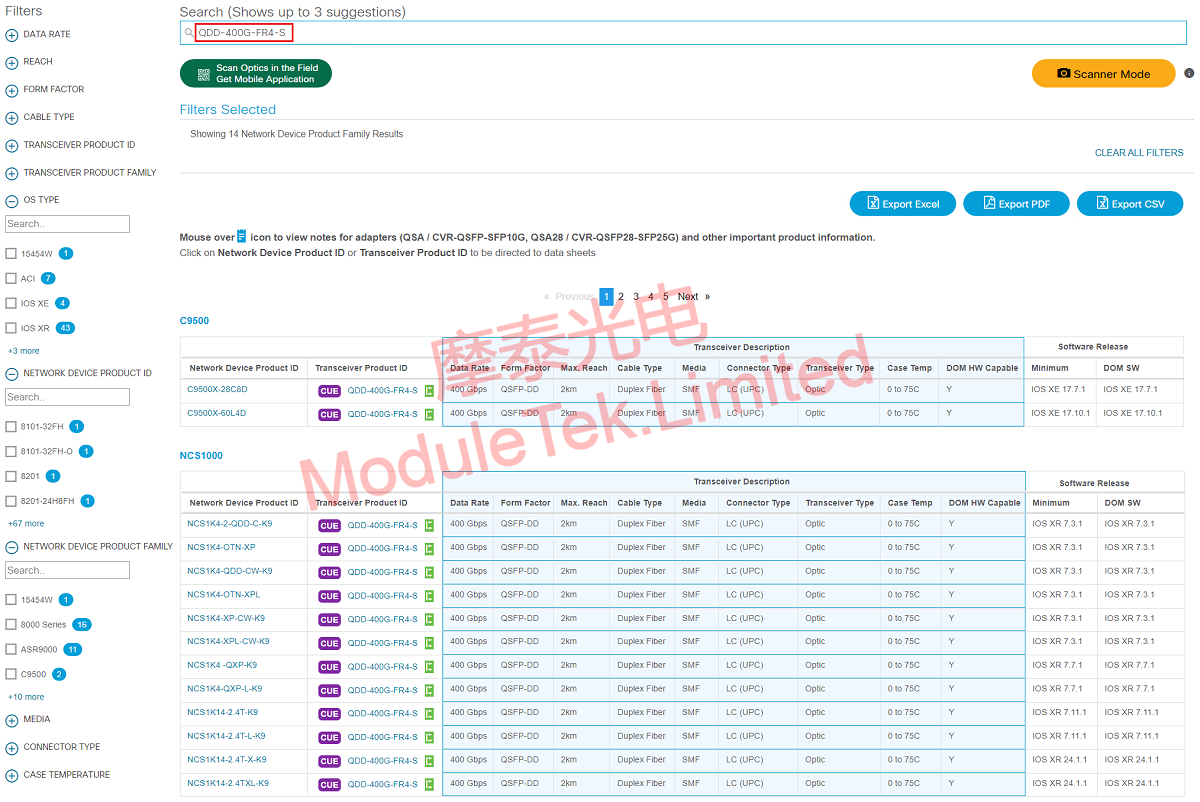
Figure 2 Search Optical Module Compatibility Matrix
Similarly, enter a Cisco host model in the search box, and the page will show all supported optical module models along with corresponding minimum software version requirements.
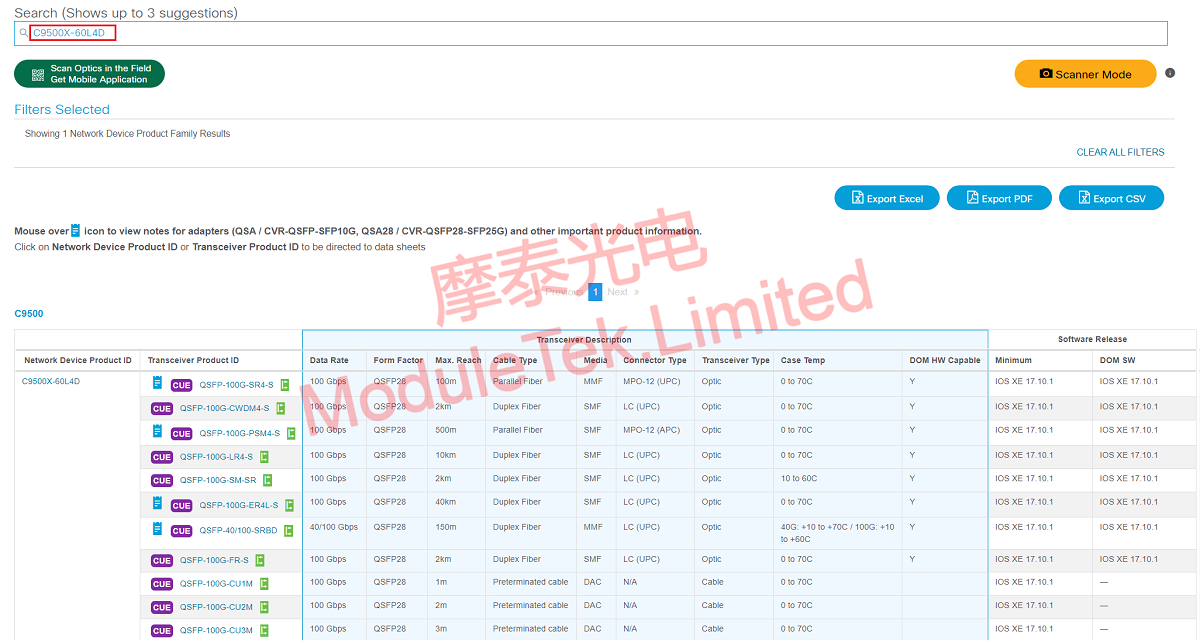
Figure 3 Search Host Compatibility Matrix
Click the CUE logo in front of the optical module product ID to view detailed product information, including product images, rate, transmission distance, power consumption, fiber type, optical parameters and other basic specifications.
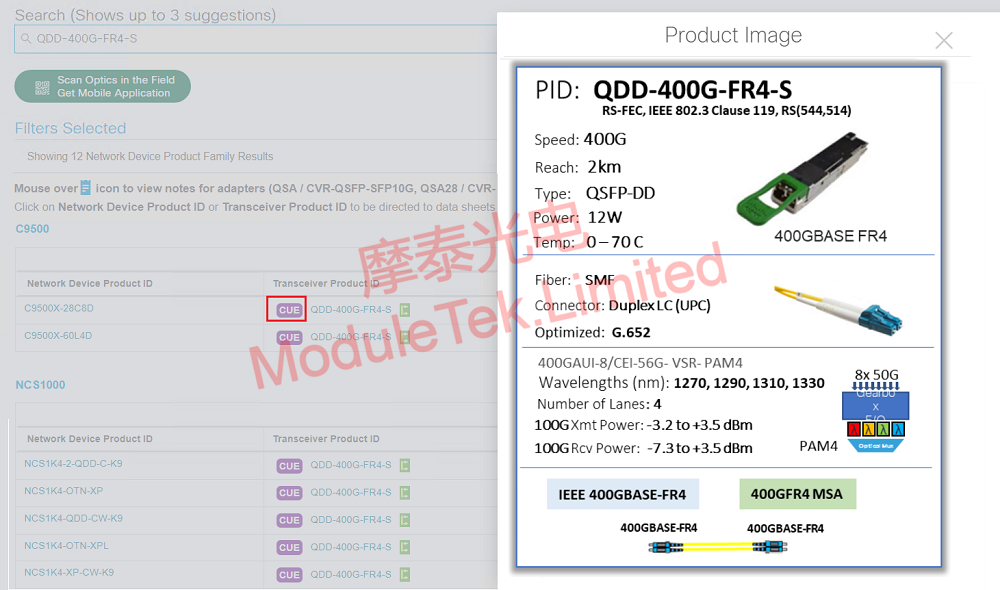
Figure 4 Product Information
Click the green logo next to the optical module product ID to jump to the optical module interoperability matrix or official datasheet.
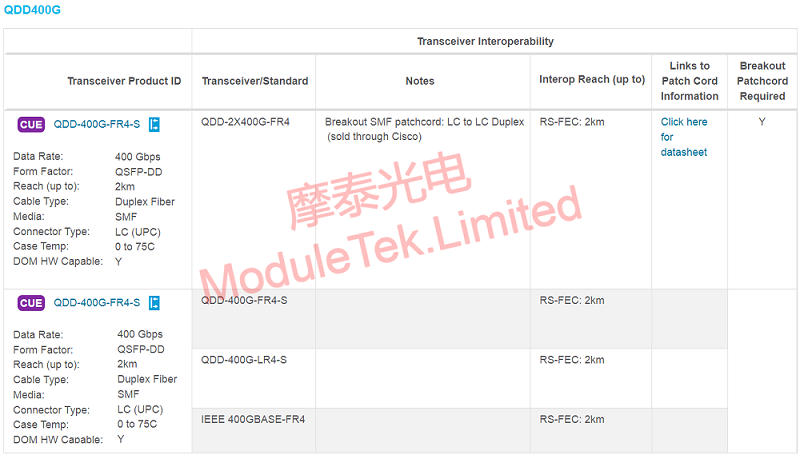
Figure 5 Optical Module Interoperability List
This compatibility matrix tool supports PDF export, and it contains more practical functions for users to explore.
Moduletek Limited is at your service.
For further inquiries about the above content, please contact us at: sales@moduletek.com






