
 40G/100G Optical Transceivers
 25G Optical Transceivers
 10G Optical Transceivers
 155M/2.5G Optical Transceivers
 1G Optical Transceivers
 1G BIDI Optical Transceivers
 Dual-Rate Optical Transceivers
 FC 16G/32G Optical Transceivers
 CWDM Optical Transceivers
 DWDM Optical Transceivers
 SGMII Port Optical Transceivers
 XFP Optical Transceivers
 100M/1G/10G Coppers
 Full-Rate AOC & Breakout Series
 10G/40G Active DAC Series
 Full-Rate Passive DAC Series
 40G/100G Passive Breakout DAC Series
 Regular/MTP-MPO Fiber Patch Cords
 MT2011
 MT2010
 CodingBox
 QSFP to SFP Adapter
Ubiquiti ECS-Aggregation Switch Unboxing
Time: 2025-09-05
The Ubiquiti ECS-Aggregation Switch is a high-density, high-performance Layer 3 Ethernet aggregation switch designed for large-scale network deployments, such as enterprise campus networks. It supports Multi-Chassis Link Aggregation (M-LAG) to enhance network reliability, delivers Layer 3 forwarding with automatic failover and dynamic routing capabilities, and features Ether Lighting technology to simplify port management and network configuration.
Moduletek Laboratory has purchased a Ubiquiti ECS-Aggregation switch to test its compatibility with 10G/25G SFP28 and 40G/100G QSFP28 optical module series. This article introduces the full unboxing and inspection process.
Table 1 Device Basic Specifications
|
Model
|
Description
|
|
ECS-Aggregation
|
Enterprise Campus Aggregation, 48x 25G/10G SFP28, 6x 40G/100G QSFP28
|
The inner packaging is printed with the front panel layout, and the model ECS-Aggregation is marked on the side of the package.
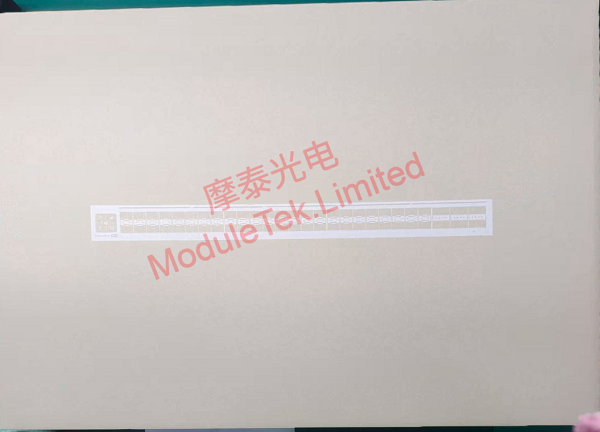
Figure 1 ECS-Aggregation Switch Packaging
The package contains one main switch unit, two external power modules, five fan modules, and port dust caps marked with the letter "U". Included accessories are mounting slide rails, screws, rack ears, cable ties, power cables and an installation guide.
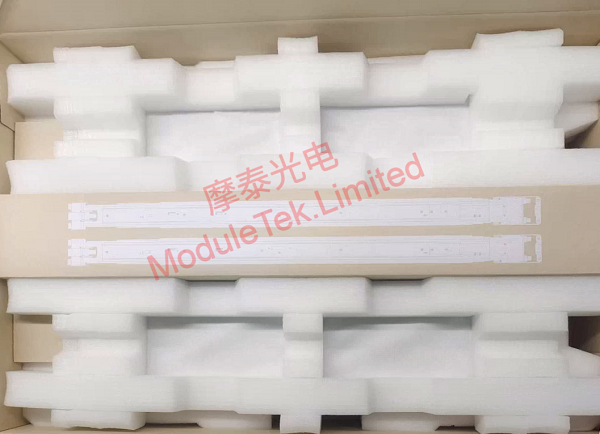
Figure 2 ECS-Aggregation Inner Packaging
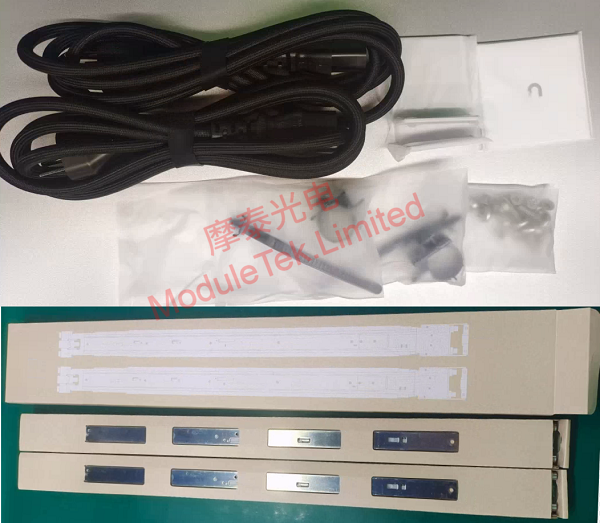
Figure 3 ECS-Aggregation Supporting Accessories
The front panel is equipped with 48×25G SFP28 ports, 6×100G QSFP28 ports and a touchscreen control panel. The rear panel is designed with fan bays and power supply ports.
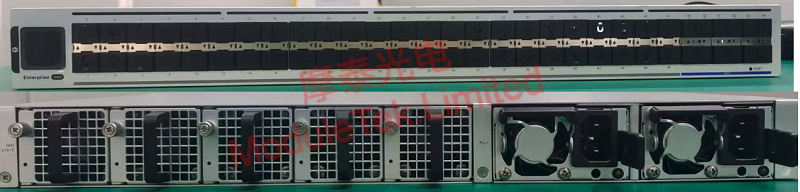
Figure 4 ECS-Aggregation Front and Rear Panels
Connect the power cable to power on the device. The switch runs with nearly no noticeable noise during startup. During the boot process, interface LED lights display a striking multicolor flowing light effect. After startup, the built-in touchscreen control panel can be used to view device version, IP address, port status and other information.
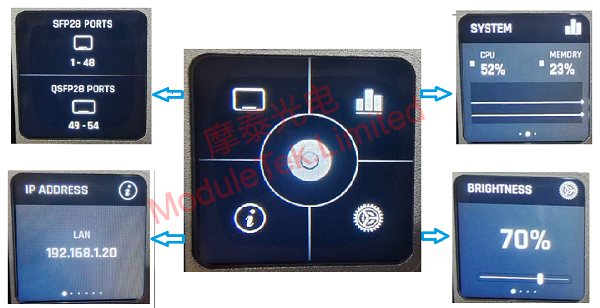
Figure 5 ECS-Aggregation Touchscreen Control Panel
This device has no console port and can only be managed by installing the UniFi Network Application (UniFi Controller). The official device datasheet clearly states the version compatibility requirements for UniFi Controller. For detailed installation and operation steps, please refer to our previous article: How To Log In And Manage A Ubiquiti Switch.
Note: UniFi Controller installation requires MongoDB and Java runtime environments. Please check the corresponding version documentation for specific environment configuration requirements.
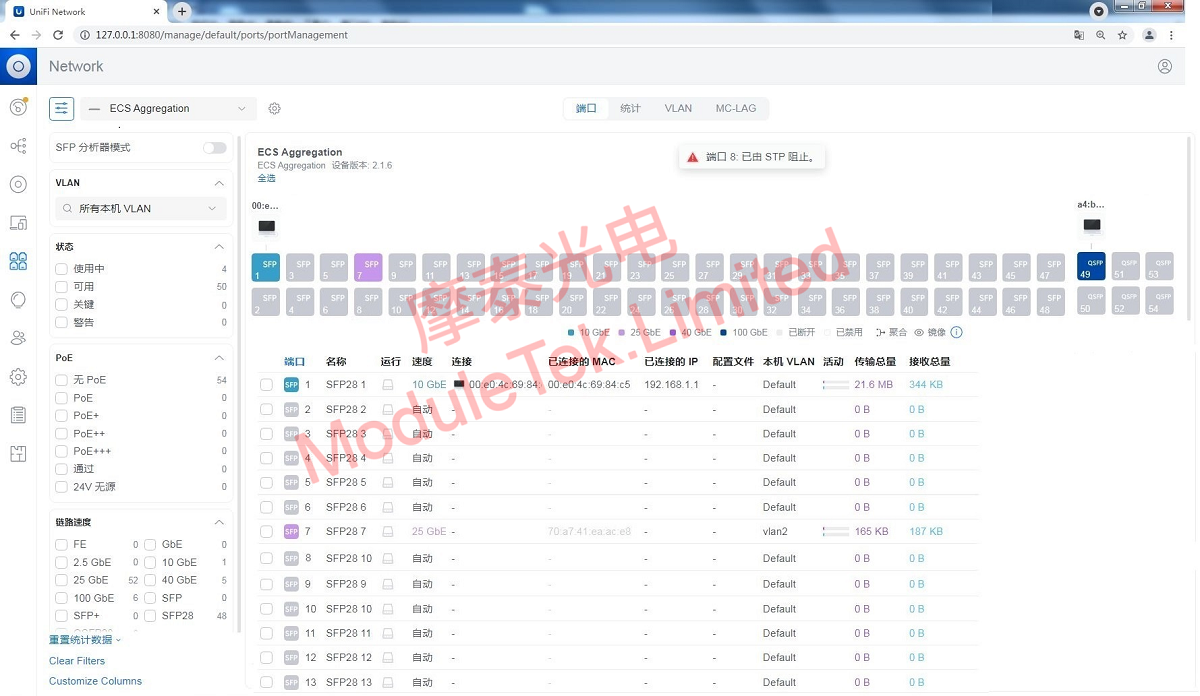
Figure 6 ECS-Aggregation Interface Status Display
When Moduletek 25G SR optical modules are inserted into the SFP28 ports, the switch can correctly identify the module model and related information.
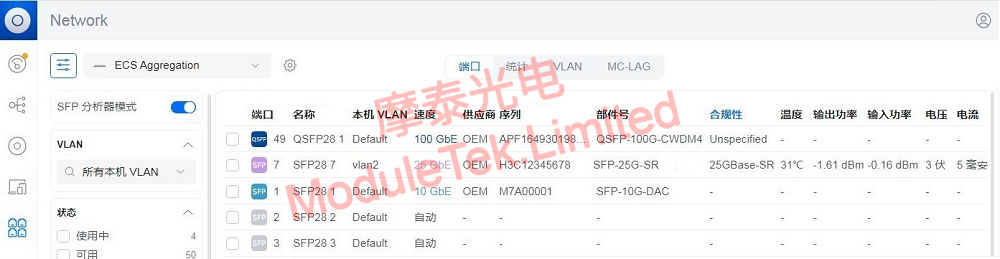
Figure 7 Optical Module Information Recognition
Moduletek optical modules offer excellent compatibility with Ubiquiti devices. Welcome to consult and purchase.
For further inquiries about the above content, please contact us at: sales@moduletek.com






